 Pomzy
PomzyGet cozy.
Get it done.
Pomzy is a focus timer that actually holds the line. Start a session and your distracting sites go dark. Finish, and you earn coins to build your own cozy house.
 Add to Chrome, it's free
No account · No ads · Everything stays on your device

Three steps to lock in
Pick what pulls you away
One tap blocks social, video, games or news. Add your own sites, or block everything except the few you need.
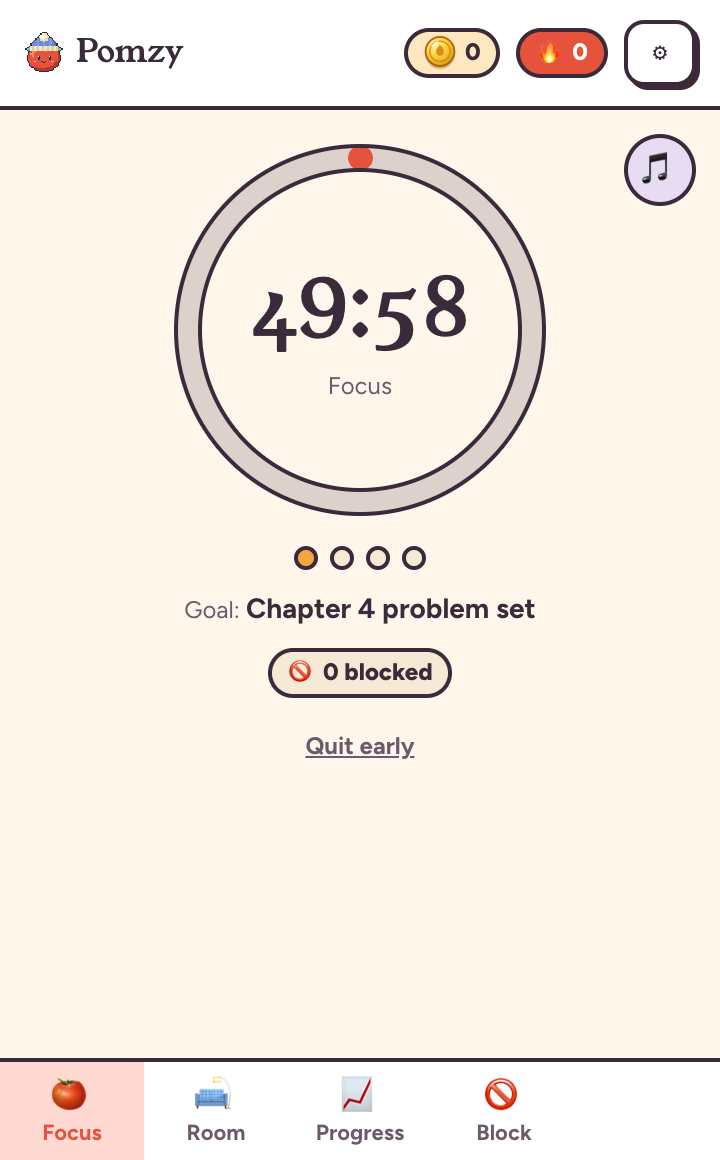
Start a session
Run a Pomodoro, or start a task from today's to-do list with your own time guess. Distractions go dark until it's done.
Earn and build
Every focused minute earns a coin. Spend them on furniture, paint and whole new rooms for your house.
Pomodoro rounds or a timed to-do list
- 25/5 and 50/10 presets, or your own rhythm from 5 minutes up
- Give each task a time guess. Beat it for a bonus, or add time and learn how long things really take
- Unfinished tasks carry over to tomorrow
- A countdown on the toolbar icon, and gentle chimes when a phase ends
No loopholes, unless you really need one
- Block lists, plus an allow-list mode that blocks every site except the ones you need
- Schedules block automatically, like weekdays 9 to 3, with no timer needed
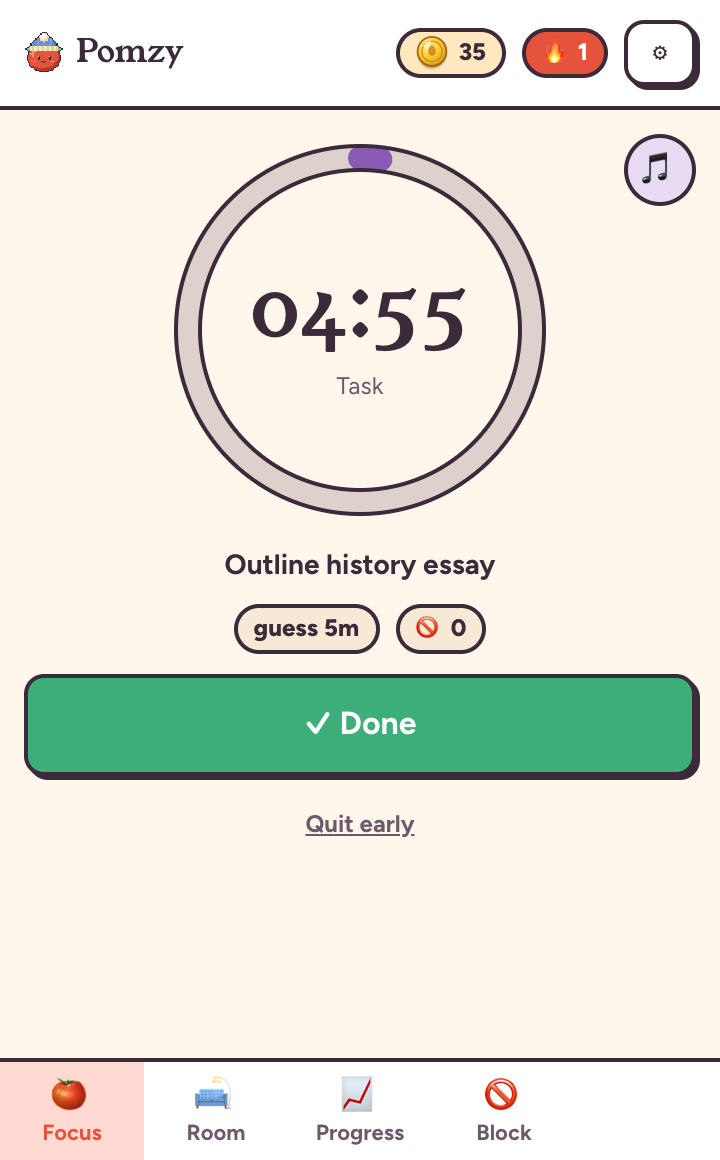
- Lockdown: no bypasses and no quitting until the timer ends, however many coins you have
- Otherwise, peeking costs a puzzle, a reason and some coins
Build a cozy 3D house, one session at a time
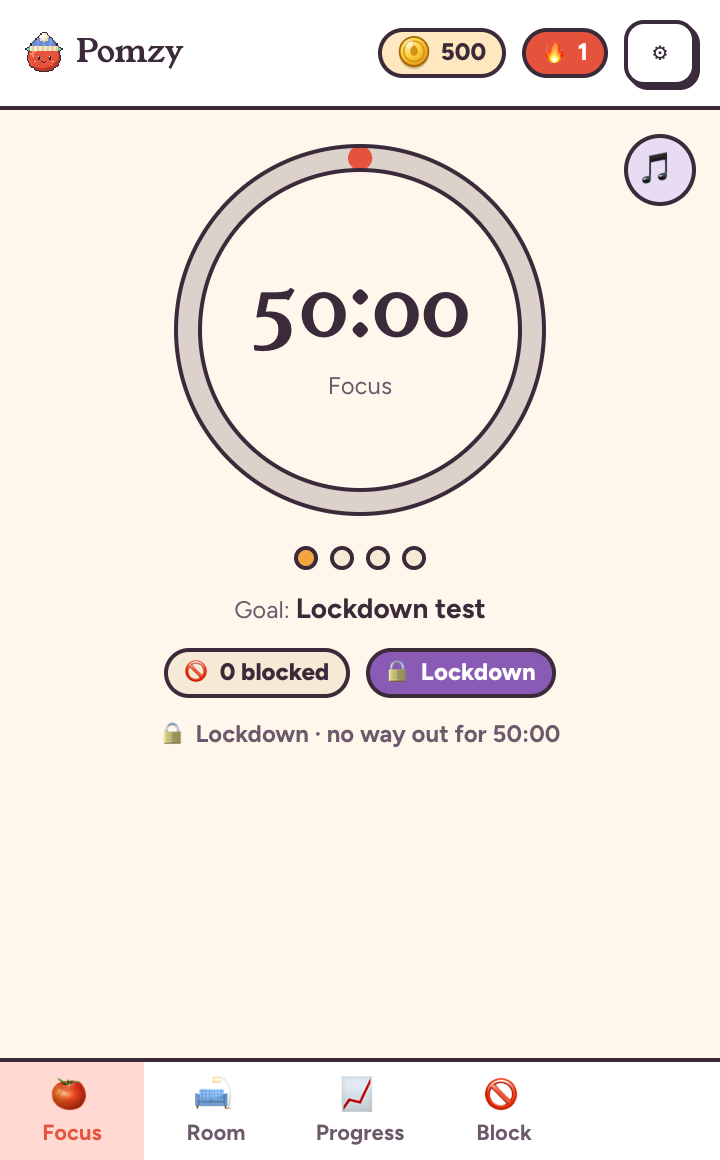
- Up to five stories: study, kitchen, bedroom, movie theater, rooftop garden and more
- Over 250 items, from desks and plants to paint, wallpaper and tiles, each with free colours
- Pomzy the tomato lives there and reacts to how your focus is going
A nudge back to work
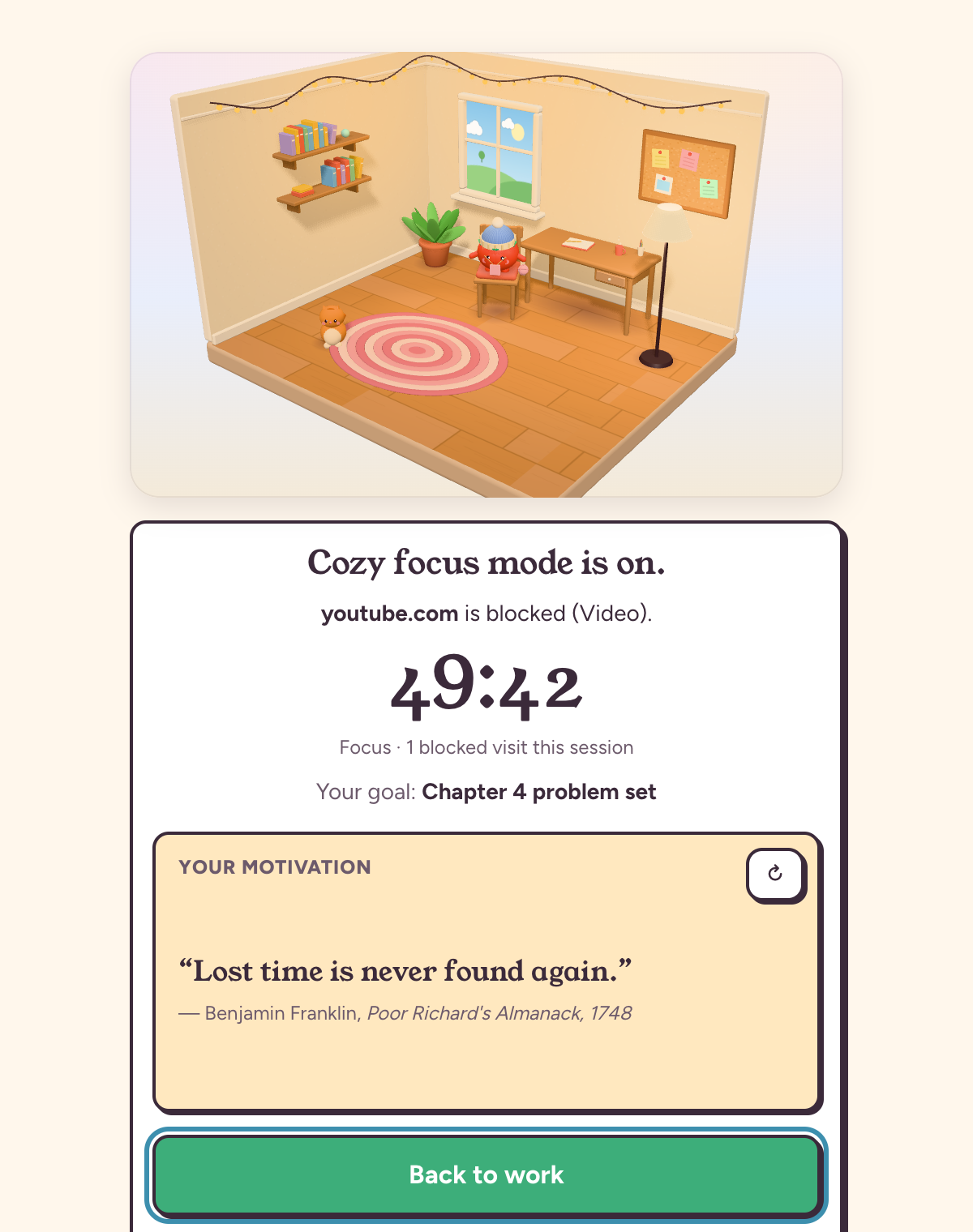
- Blocked sites show your room, the time left and your goal
- Plus a quote from a real author, like Seneca or Tolkien, about why the work is worth it
- Breaks offer breathing, stretching and quick puzzles instead of scrolling
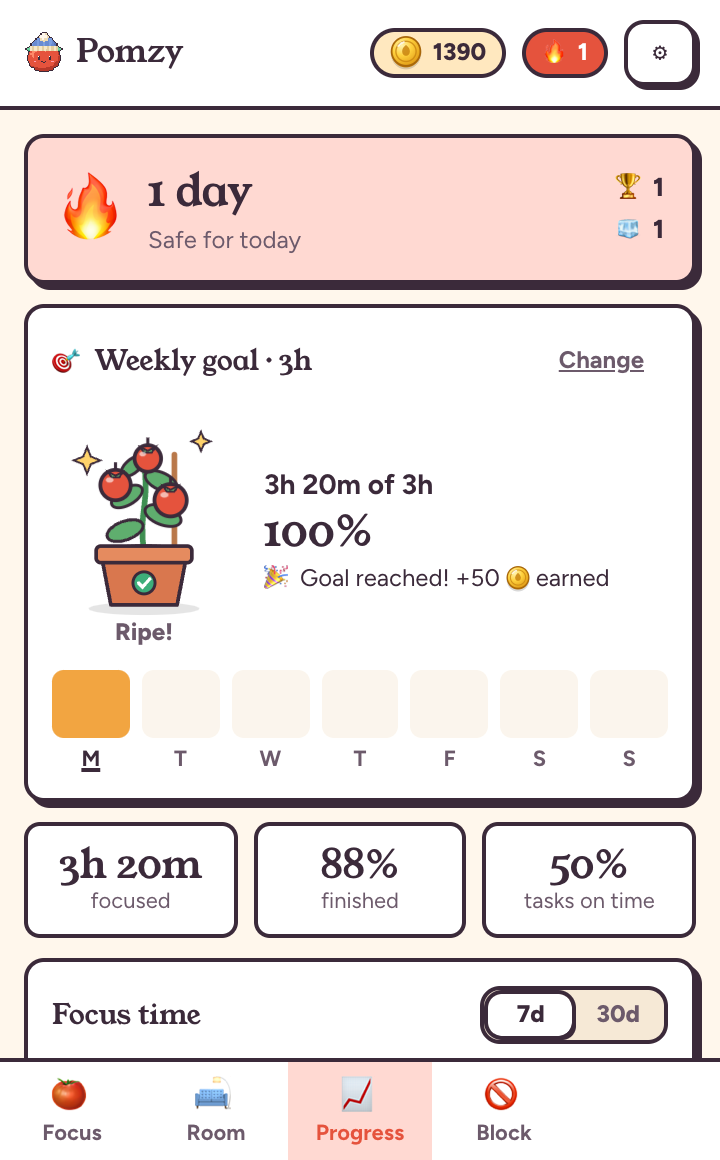
Streaks, weekly goals and a growing tomato plant
- Set a weekly focus goal and watch a tomato plant grow from sprout to ripe
- A Monday recap of your hours, best day and tasks done
- Streaks, a 30-day chart and plain-language insights about when your focus slips
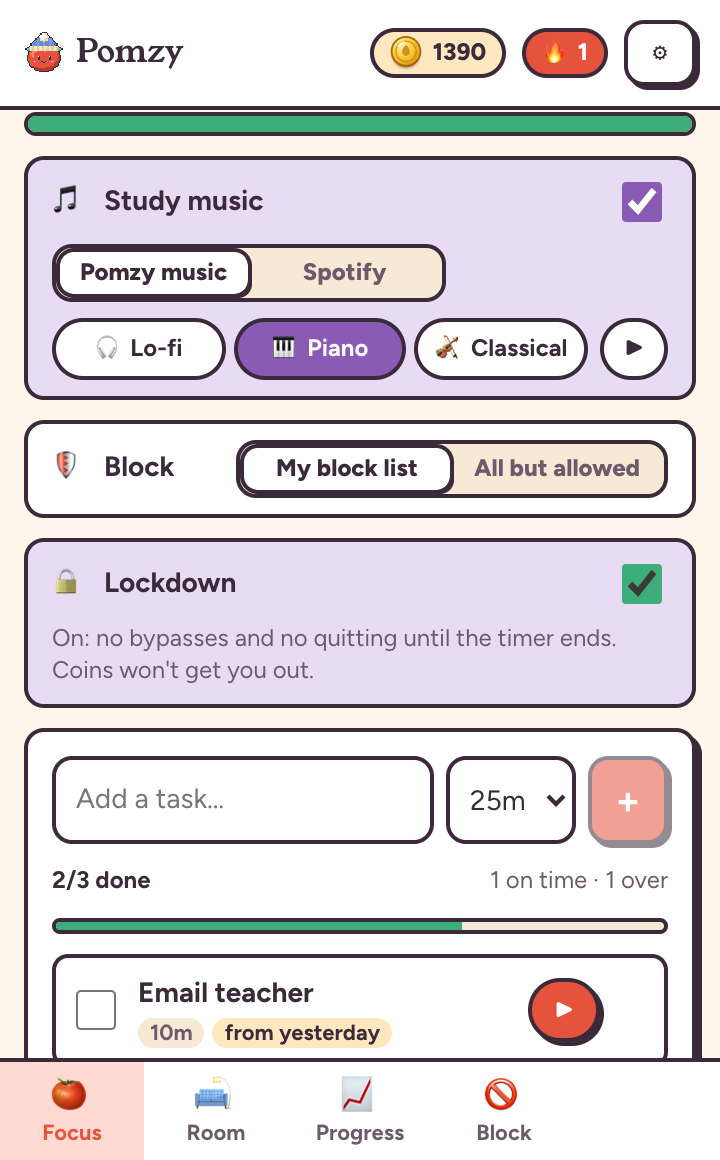
Lo-fi, piano or your own Spotify
- Built-in lo-fi, piano and classical music that plays while you lock in and fades out for breaks
- Or pick a Spotify playlist and Pomzy opens it when you start focusing
Private by design
Pomzy has no servers and no accounts. Your sessions, sites and stats live in your browser and never leave it.
Questions
Is Pomzy free?
Yes. Every feature is free, with no ads and no account.
Can't I just turn the extension off?
Chrome always lets you disable extensions, and Pomzy doesn't pretend otherwise. It works by making the distracted choice a little harder and the focused choice rewarding, and Lockdown removes every in-app way out.
Does it block in Incognito windows?
Yes, once you turn on "Allow in Incognito" for Pomzy. Settings has a one-tap shortcut. How to do it.
What does Pomzy know about my browsing?
Only the name of a blocked site you tried to visit, so it can show your own stats. It never reads page content and nothing is sent anywhere.
My computer is older. Will the 3D house be slow?
Turn on Lite mode in Settings for a hand-drawn 2D house that loads instantly.
Which browsers does it work in?
Google Chrome on Mac, Windows, Linux and ChromeOS. It blocks in the Chrome profile it's installed in.