Pomzy
PomzyHow Pomzy works
Everything you need, in about five minutes of reading.
Set up in a minute
After installing, click the Pomzy icon in Chrome's toolbar (pin it from the puzzle-piece menu so it's always there). The quick setup asks three things:
- What should be blocked: one-tap categories for Social, Video, Games and News.
- How you like to focus: Pomodoro rounds or the to-do timer.
- Your rhythm: 25/5, 50/10 or custom.
You can change any of this later.
Pomodoro vs. to-do timer
Pomodoro runs focus rounds with breaks in between, plus a longer break after every four rounds. Press Start and type an optional goal.
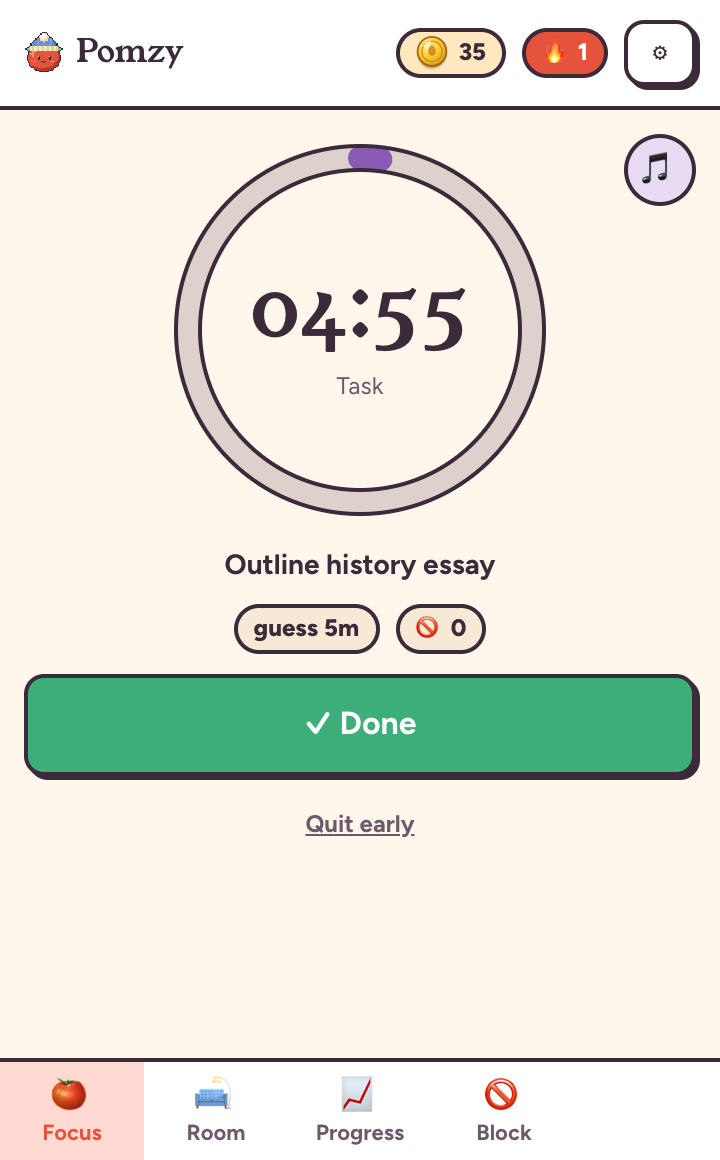
To-do timer lets you list today's tasks with a time guess for each (5 minutes or more). Starting a task blocks your sites for that long. When time's up you choose: done, add time or stop for now. Finishing within your guess earns a bonus, and unfinished tasks move to tomorrow.
Block list and allow list
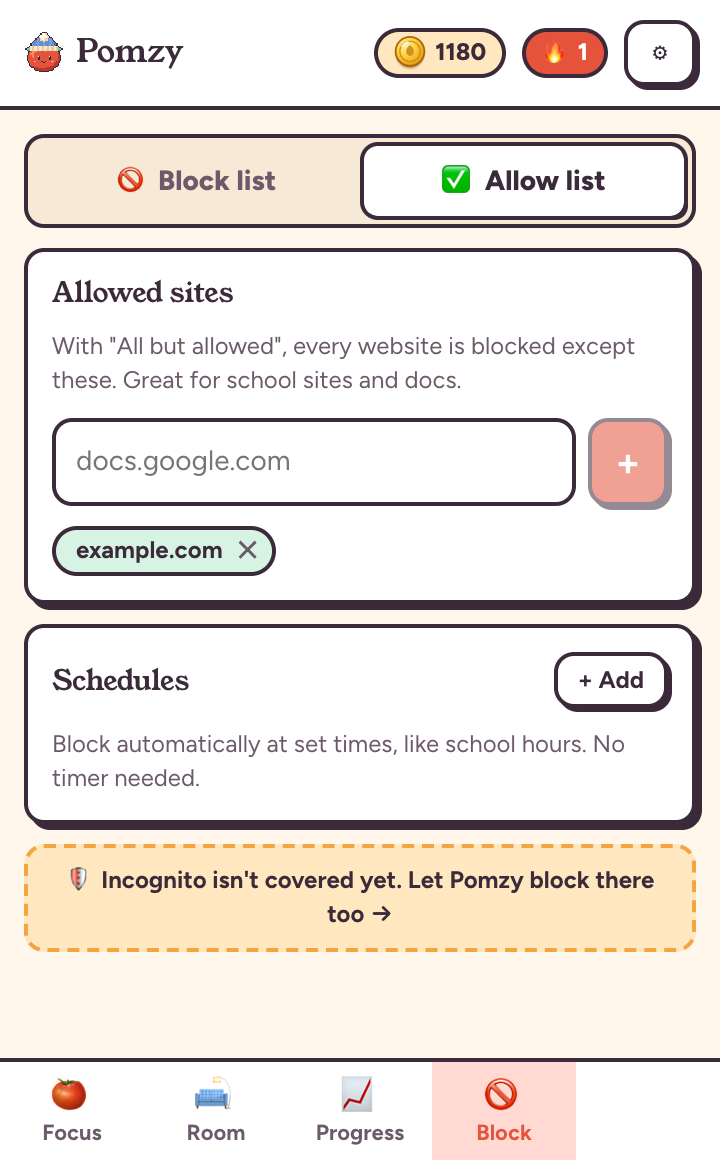
The Block tab has two lists:
- Block list: categories plus your own sites, like
reddit.comor justreddit.com/r/all. - Allow list: the only sites that stay open when you choose All but allowed on the Focus tab. Great for school portals and docs.
Lists are locked while blocking is on, so there are no mid-session loopholes.
Schedules and Lockdown
Schedules block automatically at set times, like weekdays 9:00 AM to 3:00 PM, with no timer needed. Open the Block tab, then Schedules, then + Add, and pick days, times and which list to use.
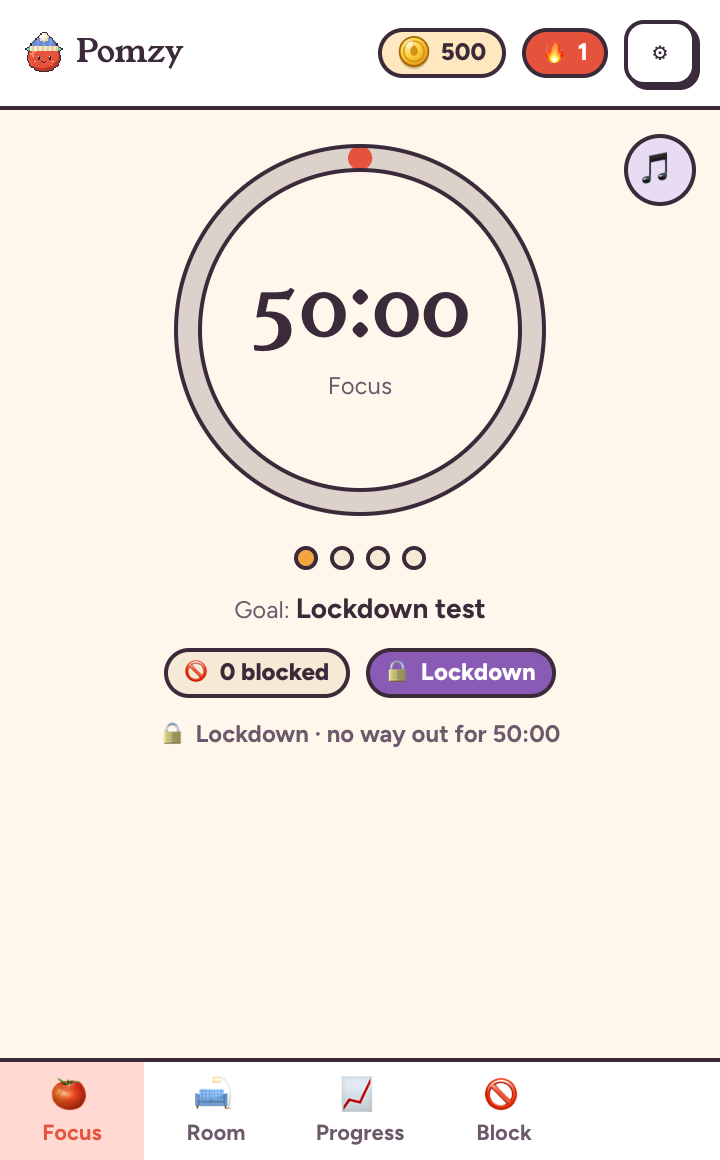
Lockdown is for days you truly need to lock in. Turn it on from the Focus tab before you start. Until the timer ends there's no paid bypass and no quitting early, however many coins you have. Schedules can use Lockdown too.
Coins and your house
You earn 1 coin per focused minute, with bonuses for streaks, full Pomodoro cycles, on-time tasks and your weekly goal. Quitting early costs a small fine.
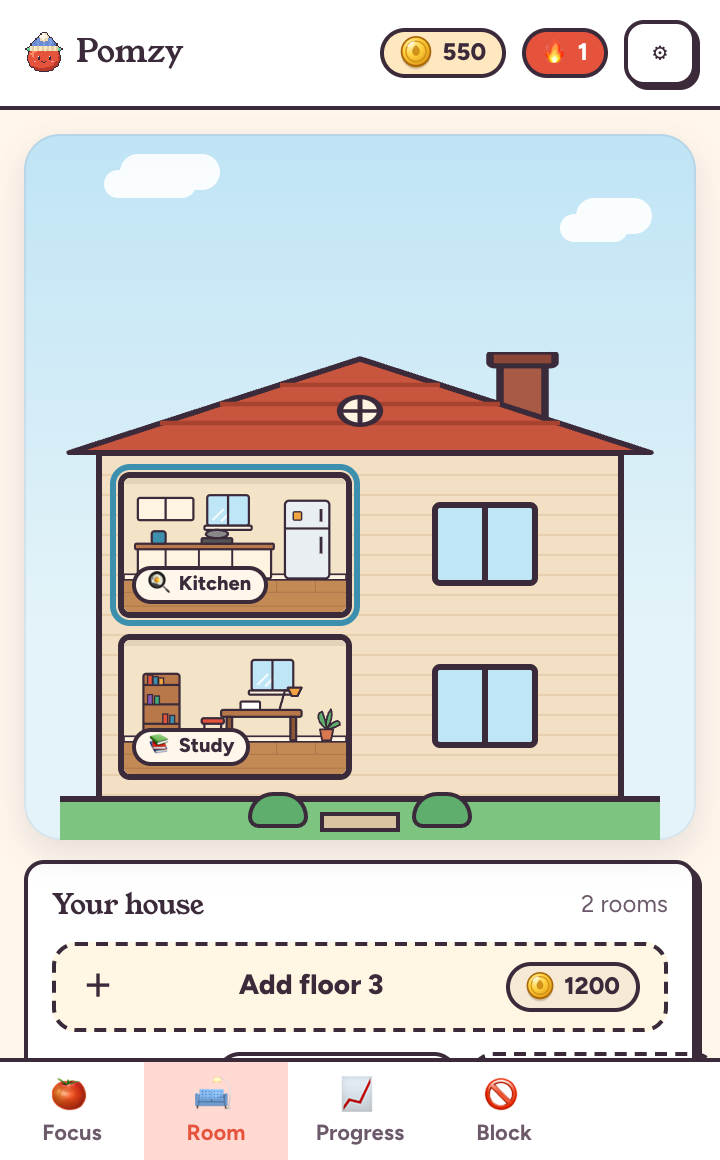
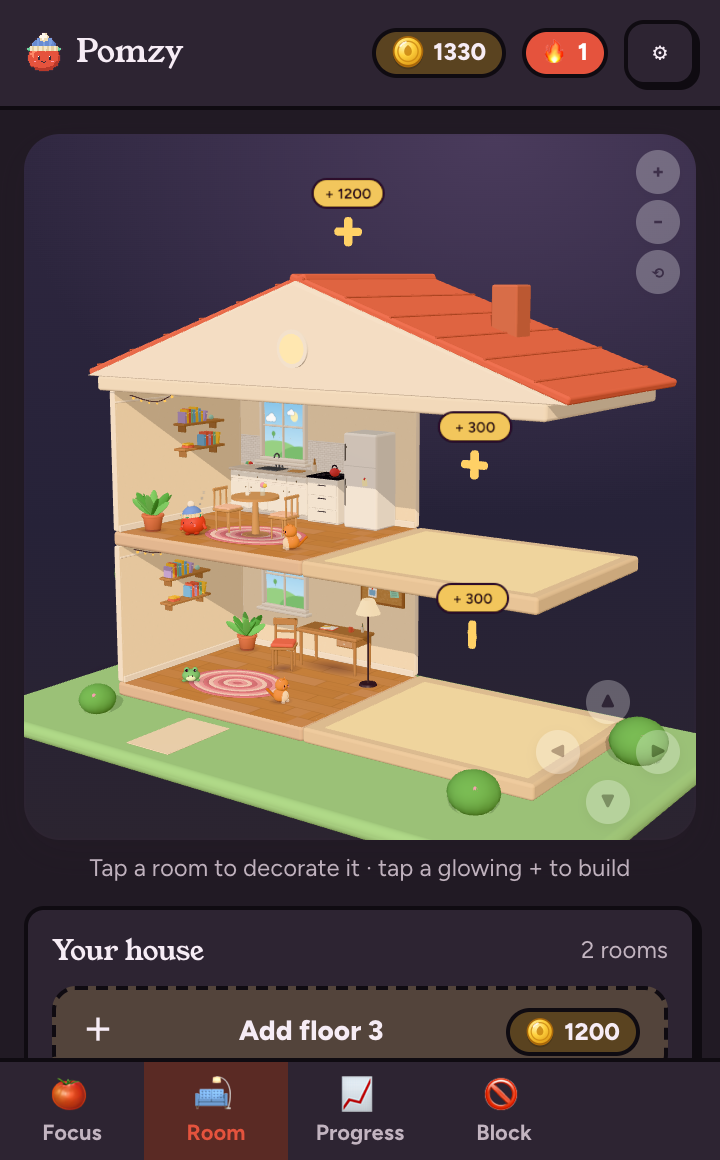
Spend coins in the Room tab on furniture, paint, floors and companions, or build whole new floors and rooms: a kitchen, bedroom, movie theater, rooftop garden and more. Tap a room to decorate it, and drag to look around.
Study music
Turn on Study music on the Focus tab. Choose Pomzy's built-in Lo-fi, Piano or Classical, or switch to Spotify and pick a playlist or paste any Spotify link. Music plays during focus time and fades out for breaks.
Weekly goal and recap
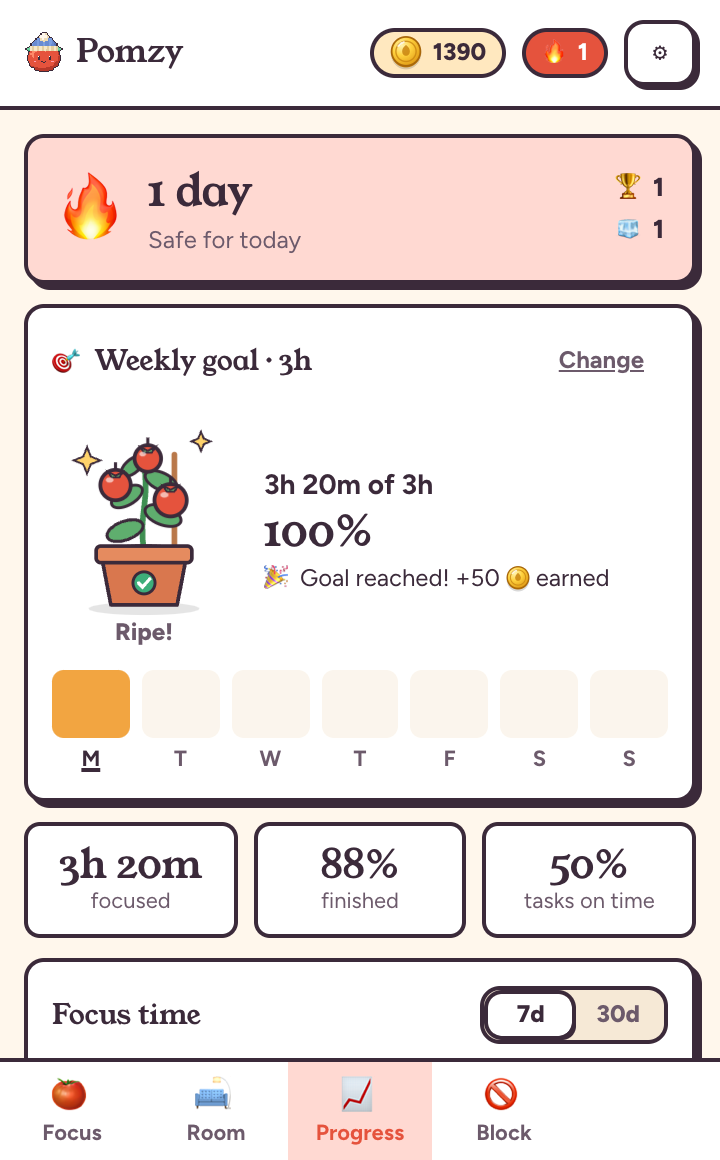
On the Progress tab, tap Set weekly goal and choose your hours. A tomato plant grows as you focus, from a sprout to ripe tomatoes at 100%, and reaching the goal pays 50 bonus coins. Every Monday a recap shows last week's hours, best day and tasks done.
Lite mode
On an older computer? Settings → Room graphics turns off 3D. Your house and rooms become hand-drawn 2D pictures that load instantly, and everything else works the same.